Discover how to earn points on Shein


Shein Points are the app’s rewards currency earned by leaving thoughtful customer reviews after a purchase. Points usually appear in your app wallet or rewards area. They can be redeemed for discounts, vouchers, or entries into promotions.
Redemption options and values vary by time and promotion. So, it helps to check the app for the latest uses.
Earning Shein Points depends on review quality and eligibility rules. Detailed ratings and photo reviews raise the chance of bonus points. They offer clearer feedback for other shoppers and the platform.
Feedback rewards often ask for attribute scores like fit, fabric, and sizing. These go alongside written impressions to guide future buyers.
Using the mobile app makes submissions faster and photo uploads cleaner. This is important for a mobile-first audience active on Instagram and TikTok.
Remember that earning rates, point amounts, and qualifying criteria can change. Always check the review and rewards help center in the Shein app for current terms.
Key Takeaways
- Shein Points are earned by submitting detailed customer reviews and show up in the app wallet.
- Photo reviews and specific attribute ratings can help unlock bonus points.
- Redemption options include discounts and vouchers and may change over time.
- Using the mobile app speeds up uploads and improves photo clarity.
- Check the app’s review rules and rewards help center for eligibility details.
Why Detailed Reviews Matter for Feedback Rewards


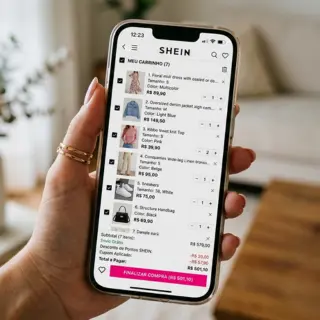

Clear, specific customer reviews help everyone shop smarter. Short notes like “cute” or “fits” offer little information.
Detailed ratings and written examples make a bigger difference for shoppers and sellers on the platform.
How detailed ratings influence product visibility
Shein’s algorithm reads scores and text to judge product performance. Detailed ratings mentioning fit, fabric, and sizing give structured signals.
These signals can boost search placement and recommendations over time.
Attribute-level ratings act like tags. When many reviewers flag garments as “runs small” or “soft material,” listings get matched to shoppers.
Visibility grows with consistent, quality input. One review rarely changes ranking, but steady feedback rewards products with more exposure.
Benefits to other shoppers and the Shein community
Specific customer reviews reduce guessing. Notes about stretch, lining, and measurements lower return rates and speed up buying decisions.
Practical tips help people pick the right size and fabric feel quickly. For example, how a dress hangs on different heights matters.
Verified-purchase and photo reviews build trust. Honest reports from others make the whole community feel more confident.
You will be redirected to another website.
How feedback rewards encourage honest, useful reviews
Feedback rewards give small incentives like Shein Points to encourage thoughtful posts instead of one-line comments.
Bonus points encourage people to add useful details that matter.
The goal is balanced feedback, not inflated praise. Rewards aim to capture positive notes and constructive concerns for buyers.
Platform rules block off-site or fake endorsements. Reviews breaking guidelines may lose bonus points or be removed to keep the system fair.
How to Maximize Shein Points from Your Reviews
Simple and clear reviews get more attention and can increase Shein Points if they follow the app’s rules. Start with a quick summary sentence. Then add short, specific lines about the item.
Verified purchases, photos, and attribute selections boost your chance of earning bonus points.
What qualifies as a detailed review on Shein
A detailed review usually has a few sentences with clear descriptions of the item. The app often asks for choices like fit, material quality, and true-to-size feedback.
Photo reviews and video uploads, when available, build trust and increase the chances of earning bonus points.
Best practices for writing useful customer reviews
Start with one short sentence stating if the piece met your expectations.
- Follow with 2–4 brief sentences on fit, fabric feel, and any surprises.
- Use concrete phrases like “fits tight at hips” or “thin but soft fabric.”
- Avoid vague lines such as “love it” without details.
- Be honest and list one pro and one con to help others shop wisely.
Using specific details: fit, fabric, sizing, and care
Say if the item runs small, large, or true to size. Mention your usual size for context.
Describe the fabric’s weight, stretch, transparency, and texture. Notes like “lightweight knit” or “non-stretch polyester” help a lot.
Refer to the size chart or share measurements when needed. Point out adjustable features like elastic waists or straps and their effect on fit.
Mention care instructions and how the piece held up after washing. Notes like hand wash or low-heat drying help peers and may earn bonus Shein Points.
Adding Value with Photo Reviews and Detailed Ratings
Clear photo reviews and concise detailed ratings make a review useful fast. Readers judge a piece by how it looks on a real body. Short, honest notes about fit and fabric also help.
This approach helps earn Shein Points. It raises the chance of receiving feedback rewards for useful customer reviews.
Why photo reviews earn more attention and trust
Images show true color, fit, and styling in ways text cannot. A photo review reduces guesswork. It helps shoppers picture the item in daily life.
Reviews with pictures get higher helpfulness scores from the community. That visibility can lead to more clicks and saves. It also boosts bonus Shein Points tied to current promotions.
Tips for taking clear, helpful product photos
- Use natural light near a window or shaded outdoor spot to show true color.
- Shoot multiple angles: front, back, close-up of fabric, and details like seams or labels.
- Include one full-length shot so viewers judge fit and proportion; note height and size worn.
- Keep backgrounds simple. Avoid heavy filters that change color or texture.
- On mobile, use the native camera app and upload tools to keep image quality high.
How to structure detailed ratings for each attribute
Break ratings into short lines for clarity on mobile. Use platform categories: fit, comfort, quality, and value for money.
- Give a quick rating and a one-line note. Example: Fit: Runs small — sized up one.
- Keep notes scannable and consistent so readers compare at a glance.
- Pair star or bullet ratings with 1–2 sentence explanations to increase usefulness and feedback rewards.
- Focus on facts that matter: fabric feel, stretch, true-to-size, and care needs.
Reviews that combine sharp photos with clear, short ratings help shoppers decide faster. This clarity improves the value of every customer review. It supports steady Shein Points earnings for thoughtful contributions.
Common Rules and Limitations for Earning Bonus Points
Before writing a review, readers should know the basic rules that affect bonus points and Shein Points. Small steps in timing and content can change whether a post gets credit. This short guide clarifies review eligibility, typical restrictions, and how to act if points go missing.
Shein’s guidelines for review eligibility
- Only reviews tied to a verified purchase normally qualify for Shein Points. Reviews from unverified sources may be excluded.
- Reviews must meet minimum standards to count as detailed: a word count, attribute ratings, or one clear photo.
- Points are issued under program rules and may be reviewed before crediting, so approval may take time.
Timeframes, account restrictions, and prohibited content
- Reviews should be posted within a set window after delivery. Late entries risk losing eligibility for rewards.
- Accounts with multiple profiles, voided orders, or past suspensions may not earn points.
- Avoid abusive language, hate speech, personal data, links, or content breaking community rules. This content may be removed and not rewarded.
- Automated filters and moderators check reviews for compliance before awarding bonus points.
Troubleshooting missing points and how to contact support
- Check the app’s rewards or points history for pending status. Allow normal processing time as shown in guides.
- Confirm the review meets eligibility: verified purchase, required length, attributes, and photos if needed.
- If points are missing after meeting criteria, take clear screenshots of the review and order details.
- Submit a ticket using the app’s Help Center or Contact Us form. Include order number, review date, and screenshots in a polite message.
- Expect replies to vary in speed due to volume and manual checks.
Conclusion
Thoughtful and specific customer reviews help other shoppers and can earn Shein Points as feedback rewards. Clear photo reviews build trust. Detailed ratings make feedback more useful for the community.
Practical checklist to boost impact and rewards:
1. Write concise reviews mentioning fit, fabric, and care.
2. Upload clear photos with multiple angles and a full-length shot.
3. Use attribute ratings and honest pros and cons.
4. Check eligibility rules and timing for bonus points.
Make reviewing a small habit that improves shopping for everyone. It may add up in Shein Points over time.
Remember, feedback rewards programs and rules can change. Always check the app’s help pages for the latest details.
Content created with the help of Artificial Intelligence.